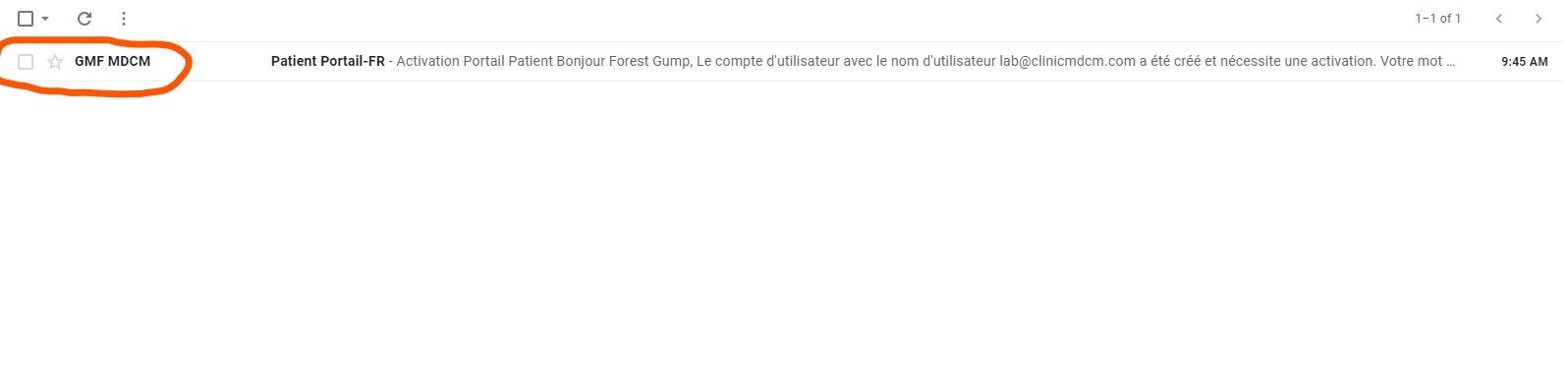
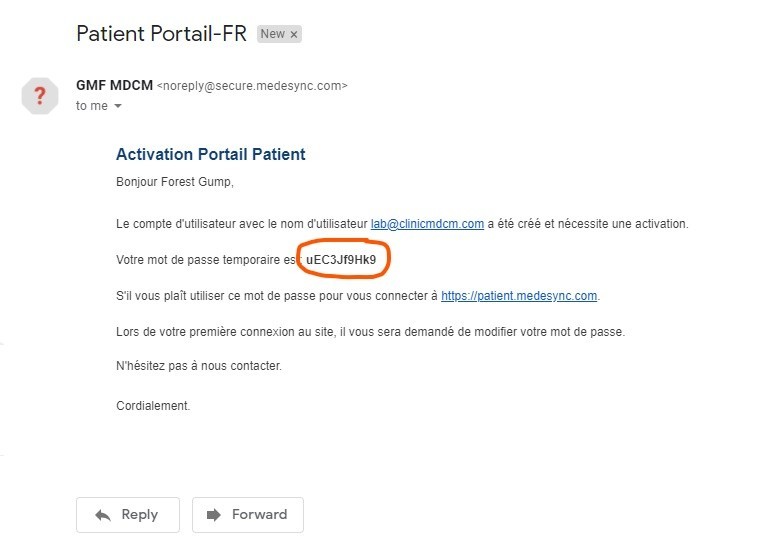
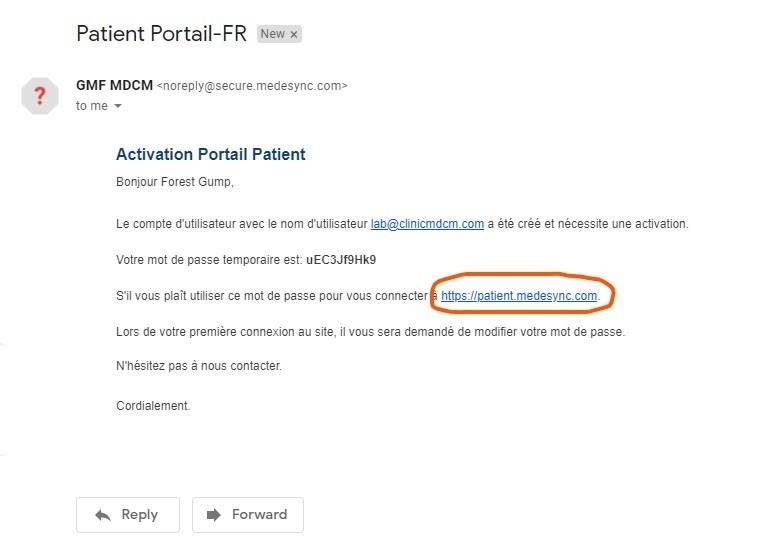
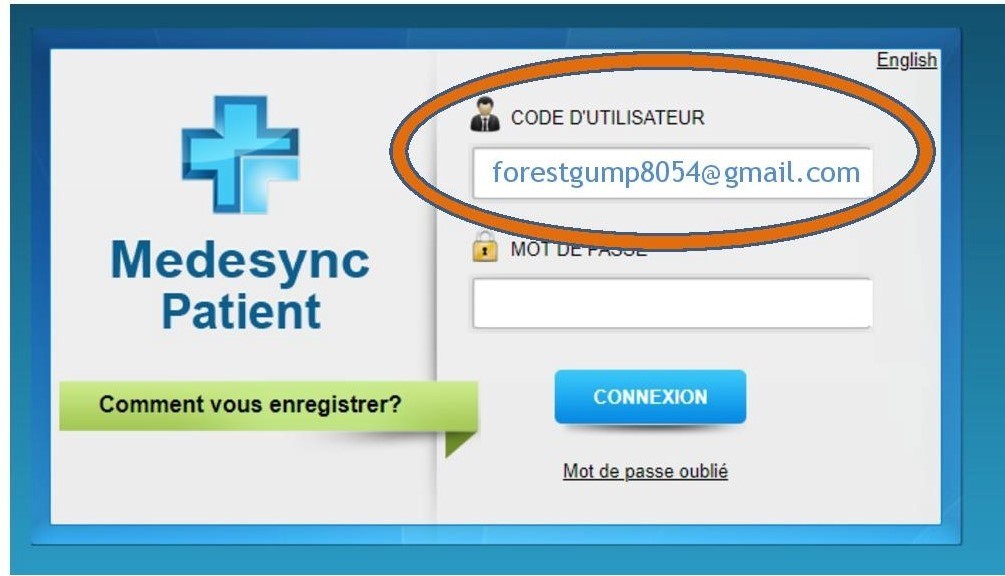
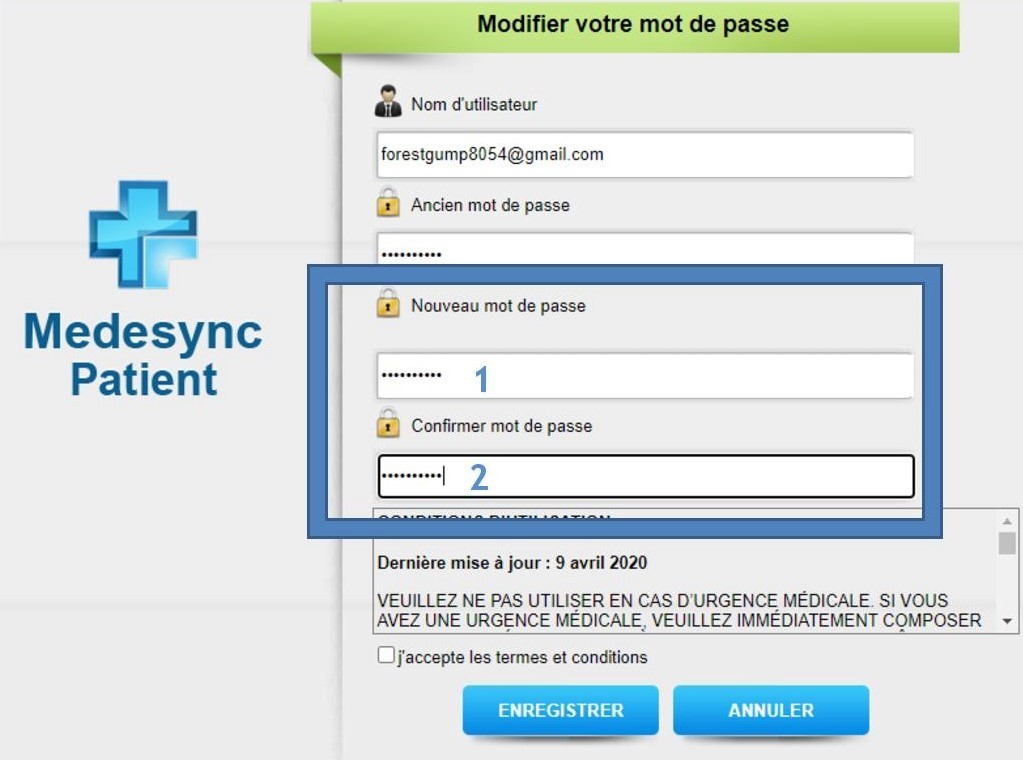
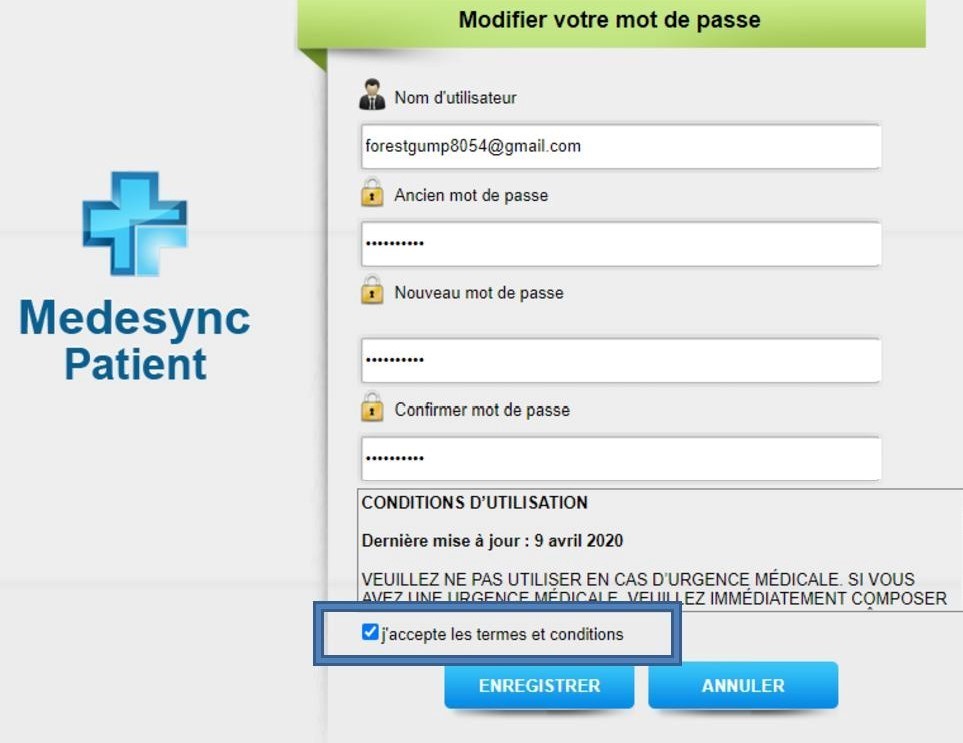
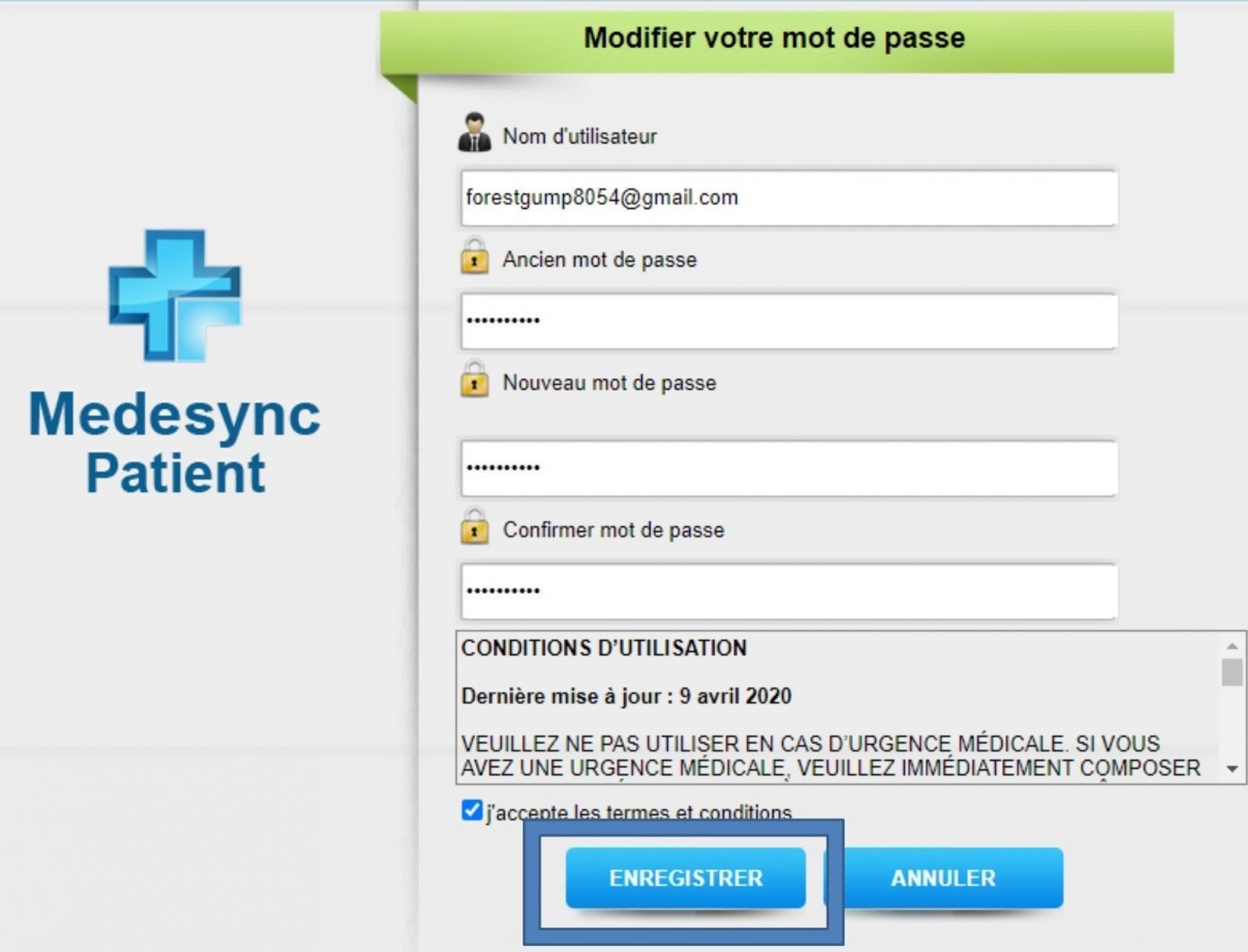
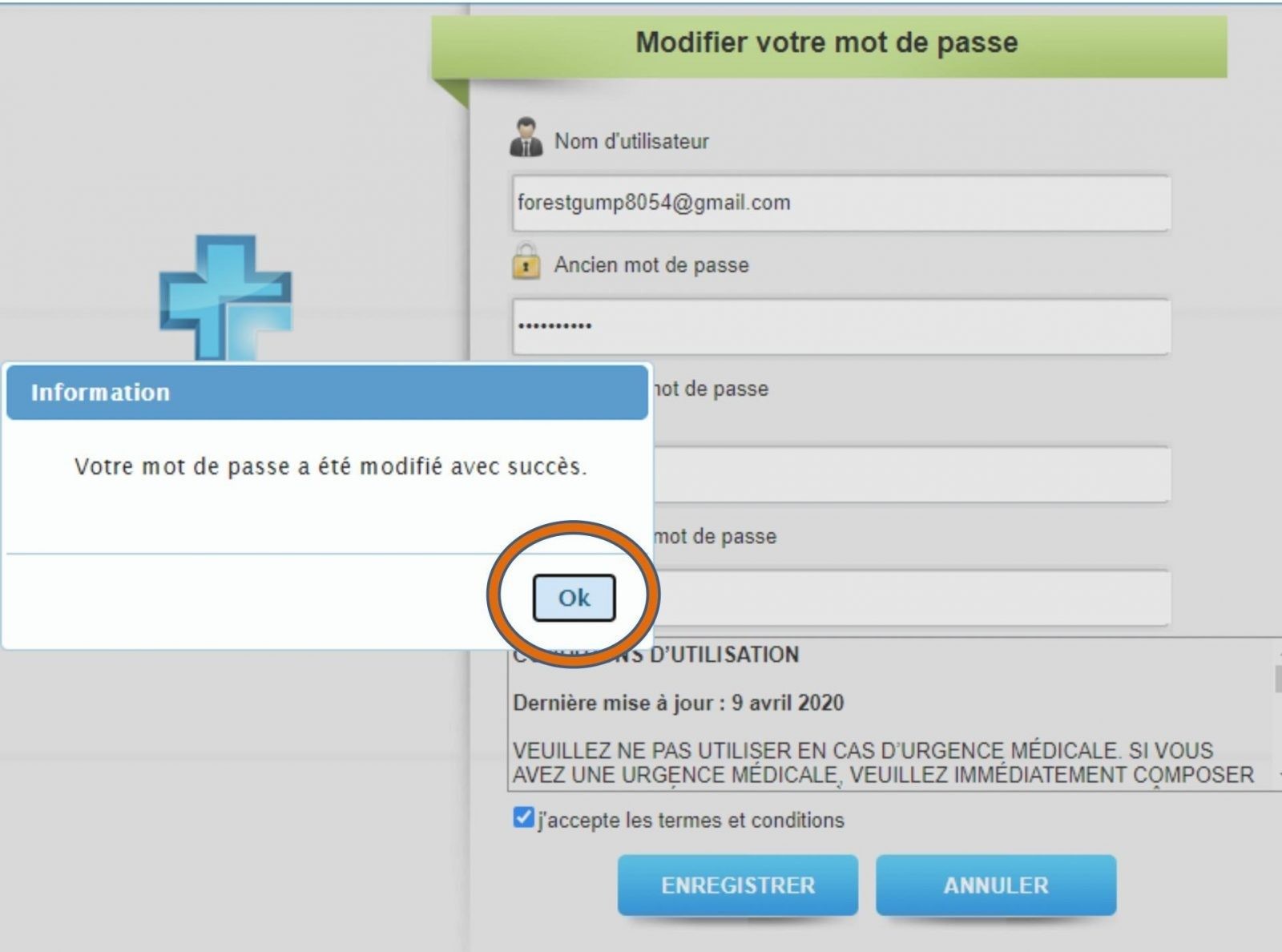
How to navigate your Patient Portal Step 1: Once the clinic activates your portal, you will receive an email. Step 2: Copy the assigned temporary password Step 3: Click the link to patient portal Step 4: Once the link is open, you must enter your username. Your username is your email address Step 5: You must enter the password you received in your email Step 6: You must create 1) new password 2) confirm again Step 7: You must agree to the terms of use by pressing the box 'I accept the terms and conditions' Step 8: Press Save and Take note of your new password Step 9: A window will appear alerting you that your password was changed. Press OK Step 9: A window will appear alerting you that your password was changed. Press OK Continue to Patient Portal Navigation Guide